
Are you a musician, podcaster, or content creator looking to record high-quality audio in the comfort of your own home? Hey, look no further than the best audio interfaces for your home studio.
What is an Audio Interface?
An audio interface is essential equipment that allows you to connect your instruments, microphones, and other audio devices to your computer, providing superior sound quality and recording capabilities. A USB connection is a common method for linking the interface to your computer.
It transforms analog signals into digital ones, thereby allowing you to capture and refine your music on your computer. Having multiple mic inputs enables you to record several microphones at once, which is especially useful for complex setups like drum kits or band sessions. Investing in a high-quality audio interface can dramatically enhance the audio quality of your recordings.
Choosing the Right Audio Interface
When selecting the best interface for your audio needs, consider that the best interfaces offer advanced connectivity and superior performance. Evaluate the necessary number of inputs and outputs, alongside the desired connection type (e.g., USB, Thunderbolt). Also, consider useful features such as auto-gain or bundled software that can enhance your workflow. Reflect on the sound quality you aim to achieve and the genre of music you plan to record. Ensure the interface is compatible with your computer and recording software for a seamless production experience. Some of the best interfaces are also compatible with iOS devices, making them versatile for mobile recording.
Types of Audio Interfaces
Let’s explore some fundamental characteristics of audio interfaces that you should consider while selecting your new one.
A compact interface is an excellent choice for those looking to save space without compromising on functionality. Build quality is also important, especially if you plan to use the interface frequently or transport it often.

USB Audio Interfaces
USB audio interfaces are the most common type and offer a convenient connection to your computer. Many modern USB audio interfaces now feature a USB-C connector for faster and more reliable connections. They are often compact and portable, ideal for home studios and mobile recording. Examples of popular USB audio interfaces include the Universal Audio Apollo Twin and the Focusrite Scarlett series. Some USB audio interfaces can also draw power directly from the computer or an external source, which is especially useful for mobile setups.
Thunderbolt Audio Interfaces
Thunderbolt audio interfaces deliver superior data transfer rates and reduced latency compared to their USB counterparts, making them perfect for professional studios and scenarios demanding swift data exchange.
Notable examples include the Universal Audio Apollo X series and the Antelope Audio Orion series, which stand out for their high-speed performance.
Thunderbolt audio interfaces surpass USB interfaces in data transfer speed and latency, making them perfect for professional studios where rapid data transfer is paramount. Popular examples include the Universal Audio Apollo X series and the Antelope Audio Orion series.
Key Features to Consider
Talking about Thunderbolt audio interfaces, there are a few key features to consider, such as the quality of mic preamps, that will impact your performance and workflow.
Additionally, adjustable input gain controls are essential for achieving optimal recording levels and preventing issues like clipping. A wide dynamic range ensures your recordings capture both quiet and loud sounds with clarity. A low noise floor is crucial for achieving clean, professional recordings.

At the end of the day, a high-quality headphone output is important for accurate monitoring during recording and mixing.
Number of Inputs and Outputs
Firstly, make sure the interface has enough inputs and outputs for your needs. This includes XLR inputs for microphones, instrument inputs for guitars or keyboards, and line-level inputs for other audio sources. The configuration of the first input, such as its placement on the front panel and the accessibility of its controls, can significantly impact ease of use during recording.
Converter Capacity
Additionally, pay attention to the sample rate and bit depth of the interface, as this will determine the quality of your recordings. Higher sample rates and bit depths result in better fidelity but also require more processing power from your computer.
Preamps and Signal Quality
Search for an interface equipped with premium preamps capable of accommodating a broad spectrum of input gains. A quality preamp is especially important when using a condenser mic, which requires phantom power and is sensitive to subtle audio details. Evaluate the signal-to-noise ratio and the interface’s proficiency in managing elevated signal levels. An exceptional audio interface is one that ensures crisp and precise sound quality.
Top Picks for Audio Interfaces
So, it’s time to focus on pressing matters. Following our product evaluations, here are some recommendations.
These audio interfaces are designed to enhance the quality of audio during recording sessions, making them ideal for both novice and experienced users. Compared to other interface options in the same price range, these models stand out for their reliable performance and broad compatibility, though some other interface alternatives may offer different connectivity options or build quality.
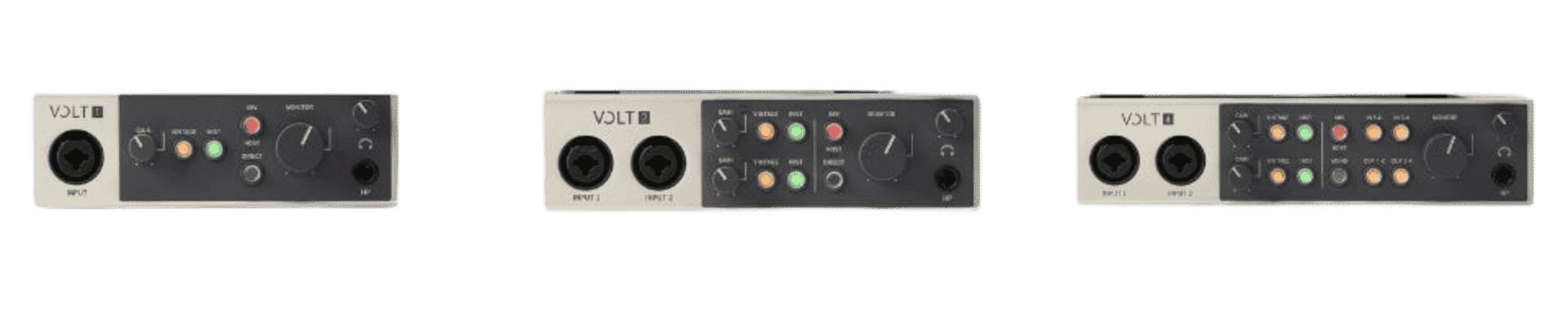
For users who require more advanced setups, there are other interfaces available that provide additional input/output channels or enhanced features.
Universal Audio Apollo Twin
A high-end USB audio interface with excellent sound quality and a compact design. It comes with a built-in UAD-2 DSP processor, allowing for real-time processing of audio plugins. The Universal Audio Volt, another high-quality audio interface, boasts unique features such as built-in analog compression and compatibility with various devices including iPhones and iPads. The rear panel of the Apollo Twin provides essential connections, such as XLR inputs and line outputs, offering flexible options for different studio setups.
Check the Official Site
Focusrite Scarlett Series
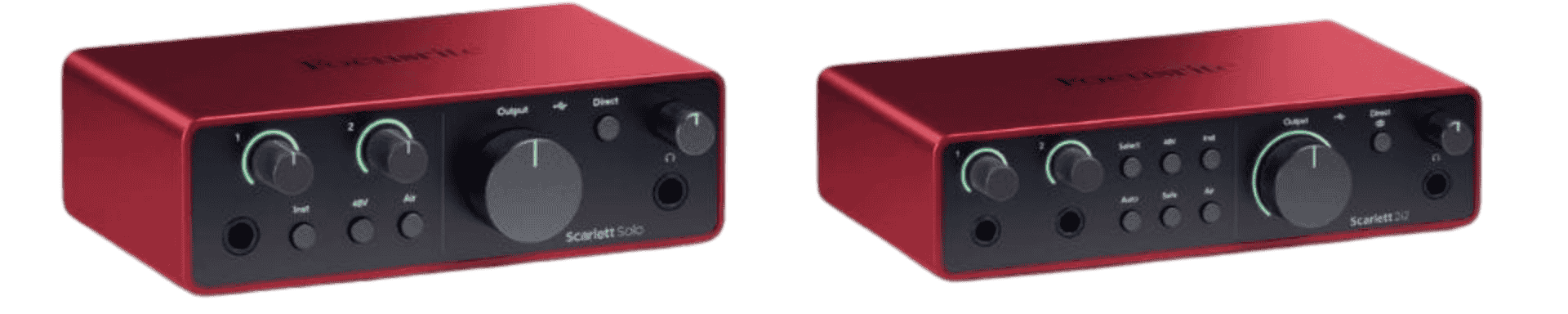
A popular and affordable USB audio interface with a range of models to suit different needs. It offers good sound quality and low latency, making it a great option for recording vocals and instruments. The Scarlett Series also features two XLR microphone inputs, providing high gain and versatility for both microphone and line level inputs. The Scarlett Series is designed to deliver the same mix quality across different models, ensuring consistent results in various recording environments.
Check the Official Site
PreSonus AudioBox Series
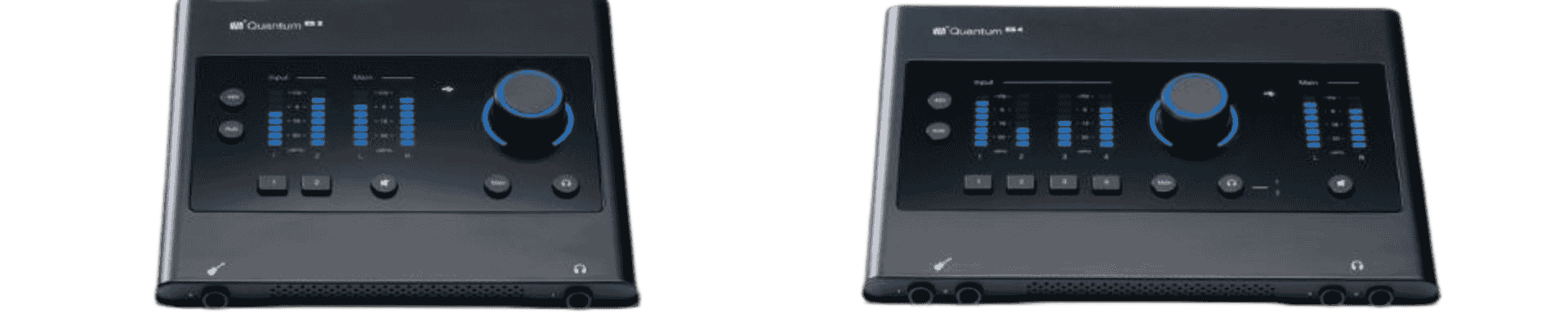
A budget-friendly USB audio interface with a range of models and a reputation for good sound quality. It also comes with PreSonus’ Studio One Artist DAW software, making it a great option for beginners. The AudioBox Series is also ideal for users who want to record audio, including musicians, gamers, and podcasters, and is a great choice for those looking to create podcasts with professional sound quality.
Check the Official Site
Audio Interface Software and Connectivity
Most audio interfaces are equipped with proprietary software, enabling users to manage the device and tweak settings efficiently. It’s crucial to assess the compatibility of the interface with your DAW and computer system.
Opt for an interface that comes with an intuitive software platform and offers straightforward connectivity options. Having a dedicated instrument input allows for direct connection of guitars or keyboards, enhancing recording flexibility. Some models may require an external power supply for optimal connectivity and functionality, especially when used with devices like iPads.
Special Features to Enhance Your Recording Experience
Certain audio interfaces come equipped with unique features like integrated effects, compression, and EQ. Reflect on the specific effects and processing requirements for your projects, and assess if the interface meets these needs.
Opt for an interface that offers a diverse set of features to elevate your recording experience. Universal audio interfaces, such as the Universal Audio Volt 276, are known for their exceptional sound quality, intuitive controls, and versatile design, making them ideal for musicians recording in various settings.

Optimizing Audio Quality in Your Home Studio
Achieving professional sound quality in your home studio starts with making smart choices about your audio gear, especially your audio interface. The audio interface acts as the central hub for your recording setup, converting analog signals into digital audio and ensuring every nuance of your performance is captured with clarity. For many home studio owners, a USB audio interface is the go-to solution, offering a simple and reliable connection to your computer.
When selecting an audio interface, think about how many input channels you’ll need. Most audio interfaces offer anywhere from two to eight inputs, which is crucial if you plan to record a drum kit, multiple instruments, or host group recording sessions. Look for models that provide a mix of XLR microphone inputs, line inputs, and instrument inputs, so you can easily connect everything from condenser mics to electric guitars.
Sound quality is heavily influenced by the quality of your interface’s preamps and A/D converters. Interfaces like the Universal Audio Apollo Twin are renowned for their pristine audio quality and robust feature set, making them a favorite among professionals. If you’re looking for a more budget-friendly yet reliable option, the Focusrite Scarlett 2i2 is a compact interface that consistently delivers high quality audio for home studios.
Proper studio setup is just as important as your gear. Position your studio monitors and studio headphones thoughtfully to minimize unwanted echo and distortion. If you encounter hum or noise, a ground lift switch can be a lifesaver. Always adjust your input gain and volume control carefully to avoid clipping and distortion, ensuring your input signal remains clean throughout the recording process.
For musicians who want to record music with multiple instruments or integrate MIDI controllers, choosing an interface with MIDI connectivity and multiple input channels is essential. Features like RCA outputs and a USB C connection make it easy to connect to a wide range of devices, while a dedicated driver ensures stable performance and low latency.
Don’t overlook the importance of supporting audio gear. Invest in quality microphones—whether you prefer condenser mics for vocals or dynamic mics for instruments—and make sure your interface provides individual phantom power if needed. Using high quality preamps and reliable cables will further enhance your audio quality.
To streamline your recording process, use a digital audio workstation (DAW) to manage your sessions, edit tracks, and mix your music. Monitor your input levels and recording levels closely, and take advantage of features like auto gain and indicator lights to keep your signal in check. Some of the best audio interfaces also offer extra features like harmonic drive or MIDI connections, which can add creative flexibility to your workflow.
Ultimately, finding the best audio interface for your home studio comes down to understanding your recording needs and budget. Compare different interfaces, read reviews, and look for excellent features that match your workflow—whether that’s more inputs, individual phantom power, or advanced connectivity options.
By investing in a quality audio interface and the right audio gear, you’ll be well on your way to recording high quality audio, whether you’re creating podcasts, recording music, or producing content for video. With the right setup, your home studio can deliver results that rival professional studios—all from the comfort of your own space.

Conclusion
To select the ideal audio interface for your home studio, it’s crucial to meticulously assess both your specific requirements and financial plan.
By carefully evaluating the essential features and various types of audio interfaces available, you can identify the most suitable option that ensures superior sound quality and elevates your recording experience.
Suggested Readings
Best DAW for Mac: HTMEM Picks for Music Production
Practice and Enjoy!