
Introduction to PCs for Creative Work
When it comes to creative work—whether you’re making music, editing videos, or working on audio production—having the right desktop computer is a true game-changer. A dedicated music production computer is designed to handle the demanding tasks of recording, mixing, and producing music, ensuring you have the processing power and reliability needed for professional results.
For music producers, a good desktop PC isn’t just about raw speed; it’s about seamless integration with your favorite music software, audio interfaces, and virtual instruments. The best computers for music production offer ample RAM for running multiple plugins, fast storage for handling large audio files, and robust connectivity for all your gear. Whether you’re a seasoned music producer or just starting out, investing in a purpose-built music production computer will help you produce music efficiently and creatively, without technical issues holding you back.
Navigating Music Production PC Requirements
As a music producer, your music production computer is the backbone of your creative process and is the central hub for all your recording, editing, and mixing needs. Most computers are not equipped with the advanced features or specifications required for professional music production, so it’s important to choose specialized hardware for optimal performance. Selecting the ideal PC for music production presents a challenge, given the various choices and technical details to evaluate. In this guide, we’ll break down everything you need to know to find the best PC for music production.
Understanding Your Needs
Before diving into specific models and features, it’s important to assess your individual needs as a music producer. Ask yourself questions like:
- What DAW (Digital Audio Workstation) do I use?
- Do I record live instruments or solely rely on MIDI controllers?
- How many tracks do I typically work with?
- Am I producing music for professional use or as a hobby?
By knowing your specific needs and workflow, you can better narrow down your options and find the perfect desktop computer for your music production needs. Additionally, choosing the right music software is crucial to ensure it aligns with your production style and requirements.
Motherboard
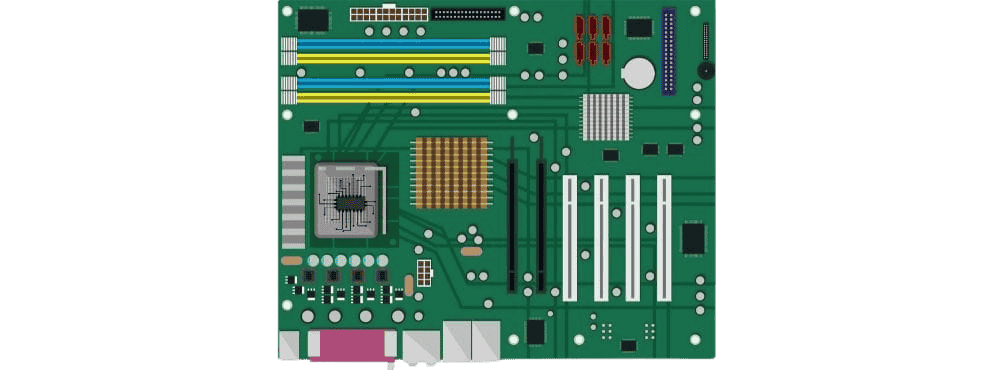
The motherboard and processor are the backbone of any computer, and it’s no different for music production. When selecting a PC, make sure to pay attention to these two components as they will heavily impact your overall performance. Always review the specifications CPU, including the model, core count, and performance, to ensure the processor meets the demands of music production.
For the motherboard (AKA MOBO), look for one with plenty of RAM slots (at least 4) and multiple PCIe slots for expansion. This will allow you to have enough memory and room for future upgrades if needed.
Additionally, take note of the chipset installed on the motherboard. Based on my personal experience, ASUS motherboards equipped with Intel chipsets stand out as the most compatible and stable option available.
CPU – Processing Power Heart
One of the most crucial factors in choosing a desktop computer for music production is processing power. This determines how fast and efficiently your computer can handle tasks such as recording, editing, and mixing multiple tracks simultaneously.
For most music producers, an Intel Core i5 or i7 processor with at least 8GB of RAM would be sufficient. CPU Intel models such as the Intel Core i7-7820HQ or Intel Core i5-11320H are excellent examples of high-performance processors suitable for music production.
However, if you’re working with large orchestral arrangements or using resource-heavy plugins, it may be worth investing in a more powerful processor like an Intel Core i7 or Intel Core i9 and at least 8GB of RAM. The Intel Core i7 is especially recommended for demanding music production tasks due to its superior performance.
Optimal Processor Speed
Aim for a processor that doesn’t compromise your creative flow. An Intel i5 or AMD Ryzen 5 processor is a solid starting point for music production, ensuring tasks run smoothly. Avoid sluggish performance with a minimum speed of 2.4 GHz and 4 cores, vital for multitasking and managing several tasks at once.
Storage Space
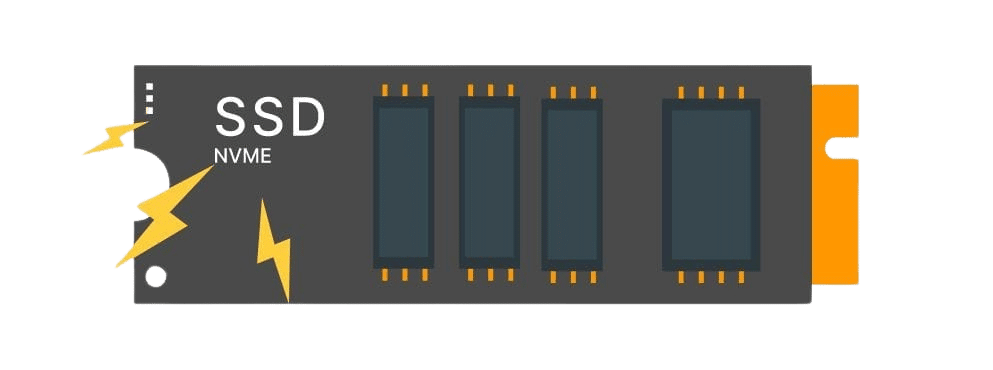
Music production requires a lot of storage space, as each track and sound file can take up a significant amount of space. When choosing a PC, it’s important to consider not only the amount of storage but also the type.
Solid-state drives (SSDs) are generally faster than traditional hard disk drives (HDDs), making them ideal for storing and accessing large audio files quickly. However, they tend to be more expensive and offer less storage capacity compared to HDDs. Many music producers opt for a combination of both, with an SSD for running software and storing frequently used samples and an HDD for larger projects.
Ports
When working on music production, you’ll likely need to connect various devices such as MIDI controllers, audio interfaces, and external hard drives. Make sure to choose a PC with enough USB ports and other necessary ports to accommodate all your equipment. It may also be beneficial to have Thunderbolt or Firewire ports for faster data transfer.
Thunderbolt ports are known for their speed and versatility, making them a popular choice among music producers. They allow for lightning-fast data transfer and can also be used to daisy-chain multiple devices together. Firewire ports, while not as fast as Thunderbolt, are still a reliable option for connecting audio interfaces and external hard drives.

RAM
How much RAM do you need for music production? Having enough RAM is crucial for running multiple plugins, handling large projects, and ensuring your computer can efficiently process all your software data.
Random Access Memory (RAM) is another crucial factor to consider when choosing a PC for music production. RAM directly affects the performance of your software and how many tracks you can have open at one time. For music production purposes, we recommend a minimum of 16GB of RAM. Having enough RAM is essential to running multiple plugins and virtual instruments smoothly.
Another important factor to consider when choosing a PC for music production is the Random access memory (RAM). The more RAM you have, the more smoothly your computer will run and the better it can handle large projects.
Graphics
While graphics may not seem important for music production, having a dedicated graphics card can improve overall system performance. This is especially true if you plan on using graphics-heavy plugins or visuals while producing music.
A powerful graphics card is also crucial for video editing, ensuring that your system can handle both high-definition video editing and music production tasks efficiently. Popular GPU options include NVIDIA GeForce GTX and NVIDIA GeForce RTX series, as well as AMD Radeon cards, all of which offer excellent performance for demanding tasks like video editing and graphics-intensive plugins.
When it comes to graphics, I recommend a dedicated graphics card with at least 4GB of VRAM. This will ensure that your computer can handle any visual elements without slowing down or affecting your production process.
Cooling Systems and Connectivity
Desktop PCs shine with superior cooling mechanisms, such as fans and water cooling, essential for prolonged sessions.
A cooling system prevents overheating and damage to internal components, but it also ensures that your computer runs smoothly without any hiccups.
Water cooling systems, renowned for their superior efficiency, necessitate regular maintenance to achieve optimal performance. Conversely, fan-based cooling systems demand less upkeep at the expense of slightly reduced cooling efficiency. If opting for a fan cooling solution, selecting a low-noise fan is crucial, as these systems can be quite noisy.
Display and Monitor Considerations
A high-quality computer monitor is often overlooked, but it’s a vital part of any PC for music production. The right display can make a huge difference in your workflow, allowing you to see more tracks, plugins, and virtual instruments at once. When choosing a computer monitor for your music production setup, consider the following:
- Screen Size: Larger screens, such as 27″ or 32″, provide more real estate for your DAW software, making it easier to arrange, mix, and edit your music. This is especially helpful when working with complex projects or multiple windows.
- Resolution: Higher resolutions (like 4K) offer sharper images and more workspace, so you can view detailed waveforms and plugin interfaces without constant zooming or scrolling.
- Connectivity: Look for monitors with multiple input options, such as HDMI, DisplayPort, USB-C, or Thunderbolt, to ensure easy access and compatibility with your PC for music and other studio gear.
- Ergonomics: Adjustable stands and eye-care features can help reduce fatigue during long music production sessions.
Choosing the right computer monitor—and studio monitor—will not only enhance your music production experience but also make your entire workflow more efficient and enjoyable.
Operating System and Software Compatibility

A 64-bit operating system (AKA OS) is preferred for its ability to utilize over 8GB of RAM, enhancing overall performance. Ensure your chosen OS is compatible with your music production software to avoid compatibility issues.
Apple Macs are also popular choices for music production due to their reliable operating system and compatibility with industry-standard music software.
Pairing a dedicated computer with suitable DAW software and a good audio interface is crucial for a seamless music production experience.
Audio Editing and Software Requirements
If audio editing is part of your creative process, prioritize a powerful processor, ample storage, and a dedicated graphics card. Choosing the right audio PC for your specific audio editing and production needs is essential to ensure a smooth and efficient workflow. Compatibility with your preferred audio production software, like Cubase, Ableton Live, or Logic Pro, is crucial to verify that your PC meets the software’s system requirements.
Mac vs PC: Which is Best for Music Production?
One of the most common questions among music producers is whether to choose a Mac or a PC for music production. Both platforms have their strengths, and the best choice often depends on your personal preferences, workflow, and the music software you plan to use.
Macs—such as the Apple Mac Mini, MacBook Pro, and Mac Pro—are renowned for their stability, sleek design, and seamless integration with popular music production software like Logic Pro and GarageBand. Mac OS is known for its reliability and is favored by many in the music industry for its plug-and-play compatibility with audio interfaces and minimal technical issues.
PCs, on the other hand, offer greater flexibility and customization. With a Windows PC, you can choose from a wide range of hardware options, from powerful gaming PCs to compact mini PCs, and easily upgrade components like RAM, storage, and graphics cards. PCs are also compatible with a vast array of DAW software, including FL Studio, Ableton Live, and Pro Tools, and often provide better value for those on a tight budget.
Ultimately, the best computer for music production is the one that fits your workflow, preferred operating system, and software needs. Both Mac and PC platforms are perfectly capable of handling all the tasks required for professional audio work, so consider your favorite games, existing gear, and long-term upgrade plans before making your decision.
Budgeting and Ergonomics
Define your budget early, focusing on components critical to your music production needs while allowing for future upgrades. Lenovo products are known for offering good value and features for music producers on a budget, making them a strong option to consider. Consider the ergonomics of your workspace, including noise levels and the comfort of your keyboard and mouse, to enhance productivity.
Testing and Evaluation of Music Production PCs
Before committing to a new music production computer, it’s essential to test and evaluate its real-world performance. Start by running your preferred DAW software and loading up your typical projects, including large sample libraries and multiple virtual instruments, to see how the system handles the workload. Pay attention to CPU and RAM usage, as well as how quickly the computer can process audio files and render tracks.
Benchmarking tools can help you assess processing power, clock speed, and graphics card performance, especially if you plan to do video editing alongside music production. Test the connectivity of your audio interfaces and external storage devices to ensure seamless integration and easy access to large files.
Don’t forget to check for low noise levels and efficient cooling, as a quiet and stable system is crucial for long music recording sessions. By thoroughly evaluating your desktop PC or mini PC in real-world scenarios, you can be confident that your new computer system will deliver the best performance for making music, audio production, and beyond.
Best Music Production Computer
Let’s get down to the nitty-gritty of this post… So, which one’s the best? The one that suits your needs perfectly. Here are a few suggestions for you.
The Apple Mac Mini is a powerful, compact, and cost-effective desktop machine for music production.
- Apple Mac Mini M2: Fast in a small package.
- Geekom Mini PC GT13: Decent specs for the price.
- Dell XPS 8940: A powerful and upgradable desktop computer and desktop PC. Tower-style desktops like this are easily accessible for upgrades and maintenance, making them ideal for long-term use.
- Apple iMac M1: All-in-one with M1 chip.
- Apple Mac Pro and Mac Studio: For top performance and video processing.
Some high-performance desktops may resemble a gaming PC, but music producers often prefer more understated designs that avoid flashy gaming PC aesthetics while still delivering excellent performance for tasks like music production and rendering.
The Microsoft Surface Studio 2 is one of the best PCs for music production, though its power and performance come at a cost.
Considerations and tips for building a purpose-built music computer for music production include purchasing from a known builder specialized in DAWs, hardware components, noise considerations, the latest technology, interfacing peripherals, necessary tweaks, and cost-effectiveness compared to professional DAW builders.

Desktop vs. Laptop: Tailoring Your Choice for Audio Production
Desktops are synonymous with higher power and easy upgradability, perfect for music production. Laptops offer portability but may lag in performance compared to desktop counterparts. But with ever-growing technology, laptops are catching up and can be a suitable choice for music production on the go. For desktop setups, having a wide-screen computer monitor is crucial to accommodate the full DAW software and plugins.
Conclusions
Choosing the right music production PC is all about needs vs budget. Processor speed, RAM, storage, and OS compatibility for your music production needs. Invest in a system that meets your current needs and can be upgraded and expanded in the future. Now make your choice!
Suggested Readings
The Best DAW for Windows: Top Music Production Software
Practice and Enjoy!